
How we look
Last updated:
16 October 2026
Logos
All our logos are part of the same logo system, consisting of our name (UAL), our brandmark and the descriptor of the identity (e.g. Camberwell College of Arts). We have logo lock-ups available in the UAL Brand Asset Library for all official identities within UAL.
- Use our primary logo with UK audiences or our international logo, with our full name spelled out, with audiences outside of the UK.
- Don't create your own logos and never recreate or change our logos. Always use one of our official and trademarked logos and lock-ups.
- Always ensure our logos are legible with high contrast.
- Set the minimum size at no less than 5mm in height.
- Don’t use logos within a sentence or as part of a word. If you want to use our name in copy, write UAL (without our brandmark).
- If speaking on behalf of more than one identity within our portfolio (e.g. Colleges), use our primary or international logo.
Animated logos
We also have animated versions for all of our logos and lock-ups. Use them as they are. You can find an example of our animated logos in the video at the bottom of this page.
Exclusion zone
The exclusion zone is the space that should be left around the logo at all times. The size of the exclusion zone is the height of the 'I' in our logo.

Positioning
- The primary location for our logos is the top left corner. Where this is not possible, place the logos in the bottom left corner.
- Don't put any other logos in the top right corner.
- Don't place department names or document titles next to our logos.
Brandmark
Our brandmark is a visual identifier for UAL, connecting us to the idea or message you are communicating, even when separated from our name:
- Use it as a playful element in your designs, retaining its size and shape.
- Don't use it as a logo.
- In typography, make sure it's aligned with the text and doesn't look like bullet points.
- When using it with imagery, make sure there is a high contrast between the brandmark and background.

Typography
Don’t use any fonts that aren’t listed below. Limit use of italics in print and never use italics digitally.
Primary font
Our primary font family is Helvetica Neue LT Pro and available to download from our Brand Asset Library. Only use the 4 weights covered under our licence:
- Helvetica Neue LT Pro 55 Roman and 56 Roman Italic for headings and body copy.
- Helvetica Neue LT Pro 75 Bold and 76 Bold Italic for headings.

Secondary font
Our secondary font is Arial. Only use it when Helvetica Neue is not available.
We use 2 weights:
- Arial Regular for body copy.
- Arial Bold for headings.

Colour
When applying our colour palette digitally, use the WCAG contrast checker to test the contrast for on-screen applications.
Our primary palette
Black
CMYK: 0, 0, 0, 100
RGB: 0, 0, 0
#000000
White
CMYK: 0, 0, 0, 0
RGB: 255, 255, 255
#FFFFFF
Our secondary palette
Only use up to 2 supporting secondary colours per application. You can find all colour codes in the accordions below.

Grayscale
40% black
CMYK: 0,0,0,40
RGB: 152,152,152
#989898
30% black
CMYK: 0,0,0,30
RGB: 178,178,178
#B2B2B2
20% black
CMYK: 0,0,0,20
RGB: 203,203,203
#CBCBCB
10% black
CMYK: 0,0,0,10
RGB: 230,230,230
#E6E6E6
Yellow
Deep yellow
CMYK: 0,30,90,0
RGB: 255,180,0
#FFB400
Yellow
CMYK: 0,10,90,0
RGB: 255,208,34
#FFD022
Bright yellow
CMYK: 0,0,100,0
RGB: 255,237,0
#FFED00
Neon yellow
Pantone 803
RGB: 255,255,0
#FFFF00
Pink
Deep pink
CMYK: 15,100,50,0
RGB: 196,14,100
#C40E64
Pink
CMYK: 0,90,50,0
RGB: 231,22,87
#E71657
Bright pink
CMYK: 0,80,12,0
RGB: 255,20,100
#FF1464
Neon pink
Pantone 812
RGB: 252,24,144
#FC1890
Orange
Deep orange
CMYK: 0,80,100,0
RGB: 255,80,0
#FF5000
Orange
CMYK: 0,45,100,0
RGB: 255,133,0
#FF8500
Bright orange
CMYK: 0,30,90,0
RGB: 255,180,0
#FFB400
Neon orange
Pantone 804
RGB: 254,111,6
#FE6F06
Purple
Deep purple
CMYK: 68,80,0,0
RGB: 105,62,196
#693EC4
Purple
CMYK: 45,68,0,0
RGB: 158,101,251
#9E65FB
Bright purple
CMYK: 20,42,0,0
RGB: 210,152,252
#D298FC
Neon purple
Pantone 266
RGB: 157,36,245
#9D24F5
Aqua
Deep aqua
CMYK: 100,20,0,0
RGB: 39,116,182
#2774B6
Aqua
CMYK: 65,8,0,0
RGB: 32,188,255
#20BCFF
Bright aqua
CMYK: 55,0,5,0
RGB: 0,226,255
#00E2FF
Neon aqua
Pantone 310
RGB: 25,249,255
#19F9FF
Blue
Deep blue
CMYK: 100,70,0,8
RGB: 46,0,163
#2E00A3
Blue
CMYK: 100,35,0,0
RGB: 31,78,220
#1F4EDC
Bright blue
CMYK: 100,0,0,0
RGB: 0,108,255
#006CFF
Neon blue
Pantone Blue 072
RGB: 0,0,255
#0000FF
Green
Deep green
CMYK: 100,0,100,0
RGB: 0,162,0
#00A200
Green
CMYK: 82,0,100,0
RGB: 0,199,62
#00C73E
Bright green
CMYK: 74,0,100,0
RGB: 26,235,37
#1AEB25
Neon green
Pantone 802
RGB: 41,253,47
#29FD2F
Emerald
Deep emerald
CMYK: 100,20,40,20
RGB: 15,117,116
#0F7574
Emerald
CMYK: 75,10,40,0
RGB: 25,164,163
#19A4A3
Bright emerald
CMYK: 60,0,35,0
RGB: 47,234,207
#2FEACF
Neon emerald
Pantone 3245
RGB: 0,255,220
#00FFDC
Imagery
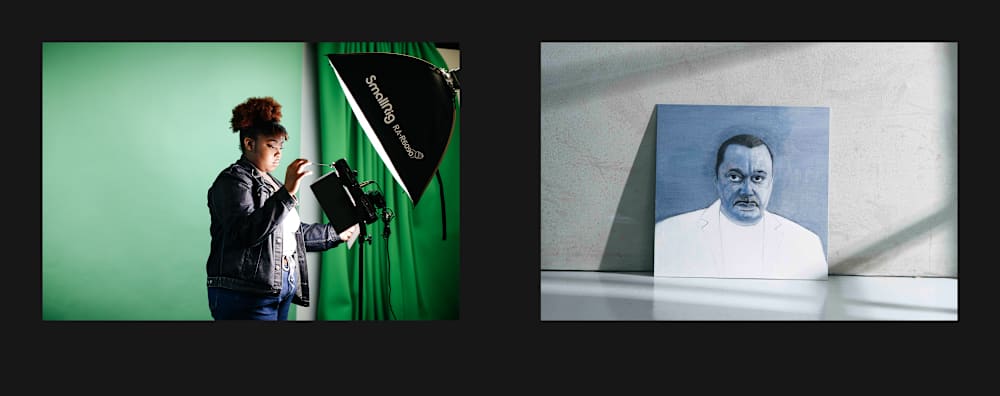
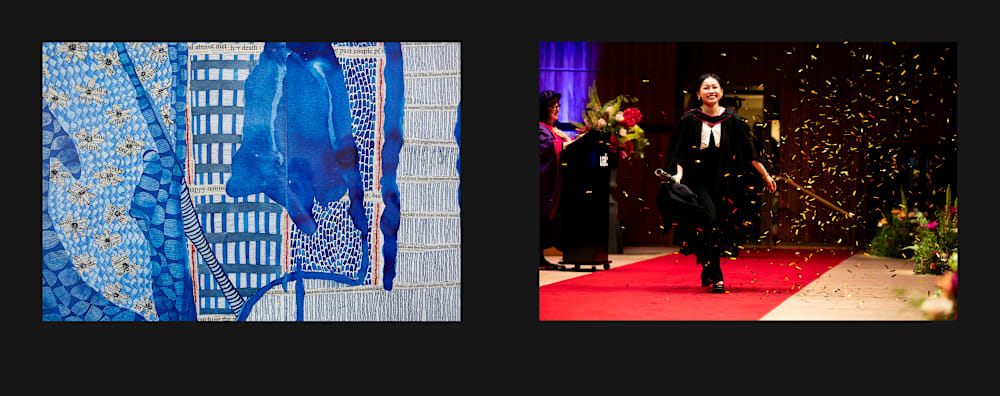
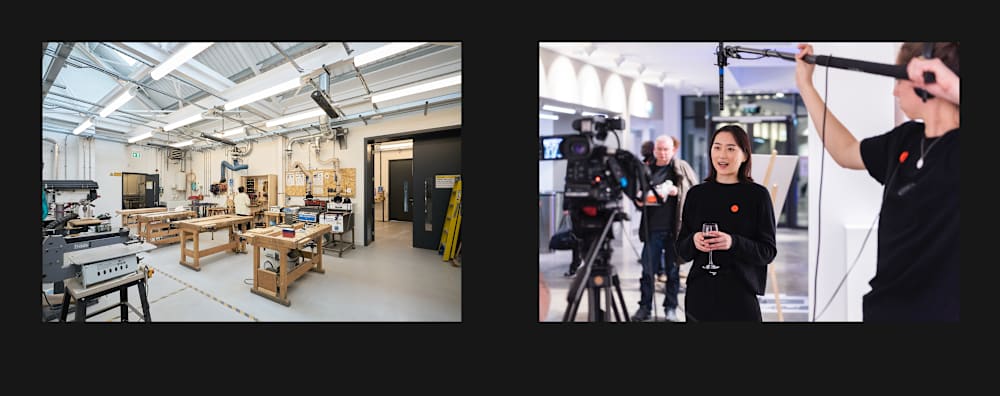
Never use stock imagery. Use imagery that is owned by us and reflects our personality. Check out our Intellectual property and crediting page to make sure all imagery includes the correct copyright information and follows our crediting guidelines.
Inclusive imagery
Imagery shapes how people see us and how we see ourselves. At UAL, we want everyone to feel valued, welcomed and understood. That means choosing visuals that reflect the full richness of our community and our values.
When creating or commissioning imagery:
- Avoid stereotypes: Show people as individuals, not clichés. Ask yourself: Does the image challenge or repeat stereotypes?
- Reflect true diversity: Include a wide range of race, ethnicity, gender, sexual orientation, ability, age and more. Think about whether your imagery reflects our community as it really is.
- Use inclusive language: Captions, labels and metadata should align with how people describe themselves.
- Avoid tokenism: Representation should be genuine and balanced, not symbolic. If it feels like “box-ticking,” reconsider the choice.
Types of imagery
- Creative process: Candid, colourful scenes of our community engaged in creative practice, shot in reportage style.
- Student work: Don't crop or edit images of student work as this could damage the integrity of their work.
- Texture: Macro shots of textures and materials used decoratively.
- People in action: Shot in reportage style, celebrating the inclusive and diverse nature of our community in real situations.
- Spaces and places: Bright shots showcasing UAL as a diverse space for working and living, include people where possible.
- Functional photography: Communicates a specific subject matter, such as our disciplines or events.
- Staff headshots: Taken from the subject’s eye level, with their right shoulder closest to the camera against a neutral background. Remove lanyards and avoid clothing with prominent logos.
Image making
- Pattern: Make sure any decorative elements align with our brand and interacts with other brand elements.
- Type as image: Imagery that has typographic detail. Use letterforms from our primary typeface, Helvetica Neue.
Accessibility
- Set wrapping style of non-text elements to be 'In line with text' when using a word processor like Microsoft Word.
- Don't insert text as an image or put text over an image.
- Add alternative text (alt text) description to images and other non-text elements.
- Any image information that is relevant to all students should be added in a caption.


Video
Motion graphics templates
Use our motion graphics in all video content, downloadable from our Brand Asset Library.
- Opening sequence: can either fade from black or play on top of footage. Omit if it could negatively impact performance (e.g. TikTok).
- Captions: optimised for 4k. Where possible, upload transcripts/SRT files instead.
- Lower thirds: use to introduce each person speaking. If there's only one person, you can use the description field of your post instead.
- Title cards: available in 4 versions (left and central alignment, long and short word counts).
- Credits: omit if you can credit participants within the description field of the post.
- Sponsorship/collaboration: use when collaborating with another brand or when a brand has contributed to the cost of a project.
- Closing sequence: we have individual closing sequences for our full logo family.
- All Colleges closing sequence: only use when creating content for all 6 Colleges. If creating content for more than one or other combination of UAL groups, use our individual UAL primary or international closing sequence.
The video at the bottom of this page demonstrates our motion graphics templates in practice, layered over b-roll footage from around UAL.
Audio description
Videos published on our website need to be audio described to adhere to WCAG accessibility regulations. Access guidance on how to create audio descriptions on Canvas (UAL staff login required).
Captioning and subtitles
Captioning videos benefits everyone. You can caption videos through:
- uploading an SRT file: for closed captioning, if available. This is the best option for accessibility.
- burned in captions: by using our branded caption templates and PrText Styles. These are available to download in multiple formats, including 1:1, 4:5, 9:16 or 16:9, in our UAL Brand Asset Library.
- auto-generated captions: which generate captions automatically from the video file you upload. This needs manual editing as some words aren’t always transcribed correctly.
- in-app captioning: available on some social media platforms. Use a sans serif font that’s closest to Helvetica Neue LT Pro and left-align all text. Ensure text is black or white, depending on which is more legible.
Instructional videos
Read the Digital Public Platform team's advice on how to use instructional videos on your web pages (UAL login required).
Grading
- Never use grayscale, sepia or any grades which over-expose the footage.
- Make sure people and surroundings look as close to real life as possible.
Music
- Use royalty-free music that matches the tone of the project.
- Avoid vocals or loud instrumental sections.
- If budget allows, work with a music producer or sound designer to make a bespoke track.
Transitions and effects
- Avoid transitions in most cases and use pure cuts instead.
- If using transitions, opt for fade transitions, never swipe.
- When using any specific transitions native to your video's creative direction, such as multiple jump cuts, match cuts or fast moving imagery, consider how this may impact the viewer.
- For any video with severe use of flashing imagery, use a trigger warning at the beginning.
Lanyards and external logos
- Remove lanyards in talking heads or vox-pops with internal staff or students.
- Avoid clothing with prominent logos.
- Avoid any materials in your shot which include other external logos.